
Feature adoption
Contextual prompts became the primary driver. Not emails, not tutorials. Just the product showing up at the right moment.
Overview
Designed contextual product prompts that helped passive Miro collaborators become active creators and discover more advanced workflows.
My role
Design strategy, UI, UX, User Research.
Team
Timeline
3 Months

Impact Overview
Feature adoption
Contextual prompts became the primary driver. Not emails, not tutorials. Just the product showing up at the right moment.
Board creation rates up across all cohorts
Users who had never created a single board started creating — and came back to create again.
A reusable adoption playbook
Built a repeatable system for detecting user intent and matching it to the right Miro feature, scalable as the product grew.
Imagine buying a Swiss Army knife and using it every day, but only ever for the bottle opener.
That was the challenge. As Miro released more capabilities, many users were still only engaging with a narrow slice of what the product could do.
They were already collaborating in Miro, but discovery wasn't keeping pace with the product itself. New features were shipping quickly, yet many users never encountered the moments where those features would have been most useful.
They weren't ignoring the product. They just weren't being guided toward its broader value at the right time.
My role was to design better ways for users to discover and adopt the capabilities Miro had already invested in.
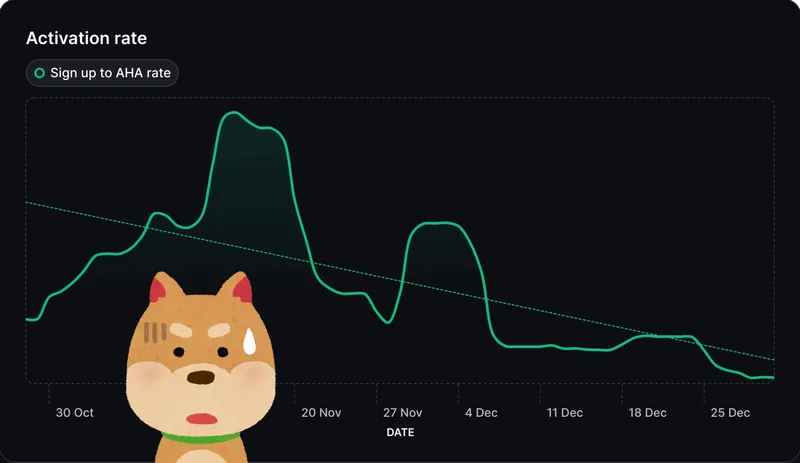
Through research and product analysis, we found two behaviors that mattered most for long-term engagement.
That gave us a clear direction: help users create with more confidence, and help them discover the parts of Miro that could expand how they work.
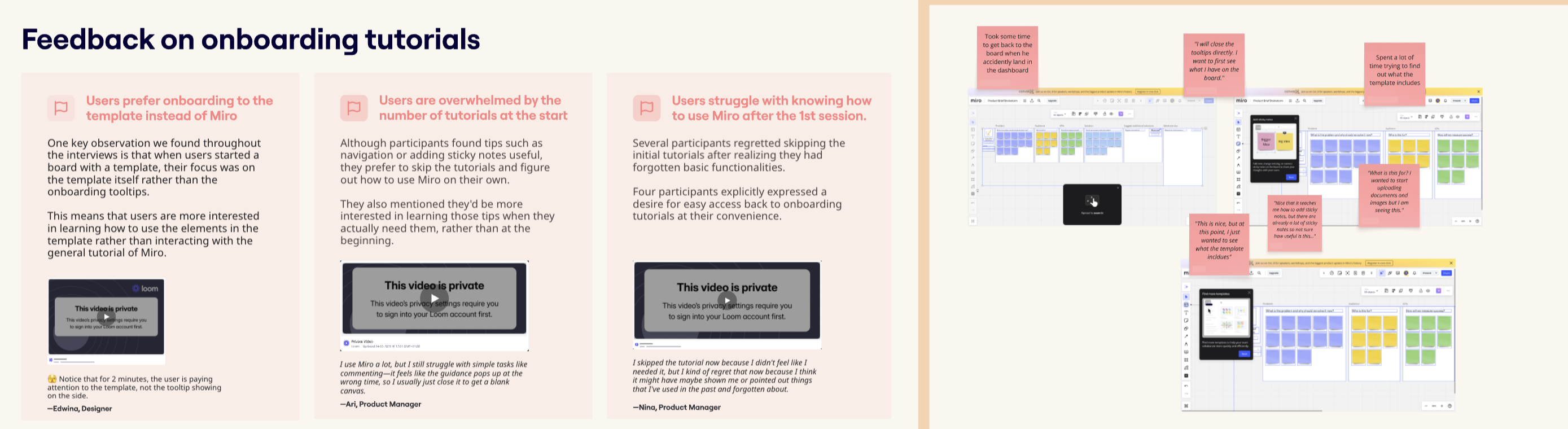
Before jumping into solutions, we looked for the underlying causes through user interviews, product analysis, and observing how people actually worked in Miro.
Two themes kept coming up: why users weren't creating boards of their own, and why they weren't discovering the broader set of workflows Miro supported.
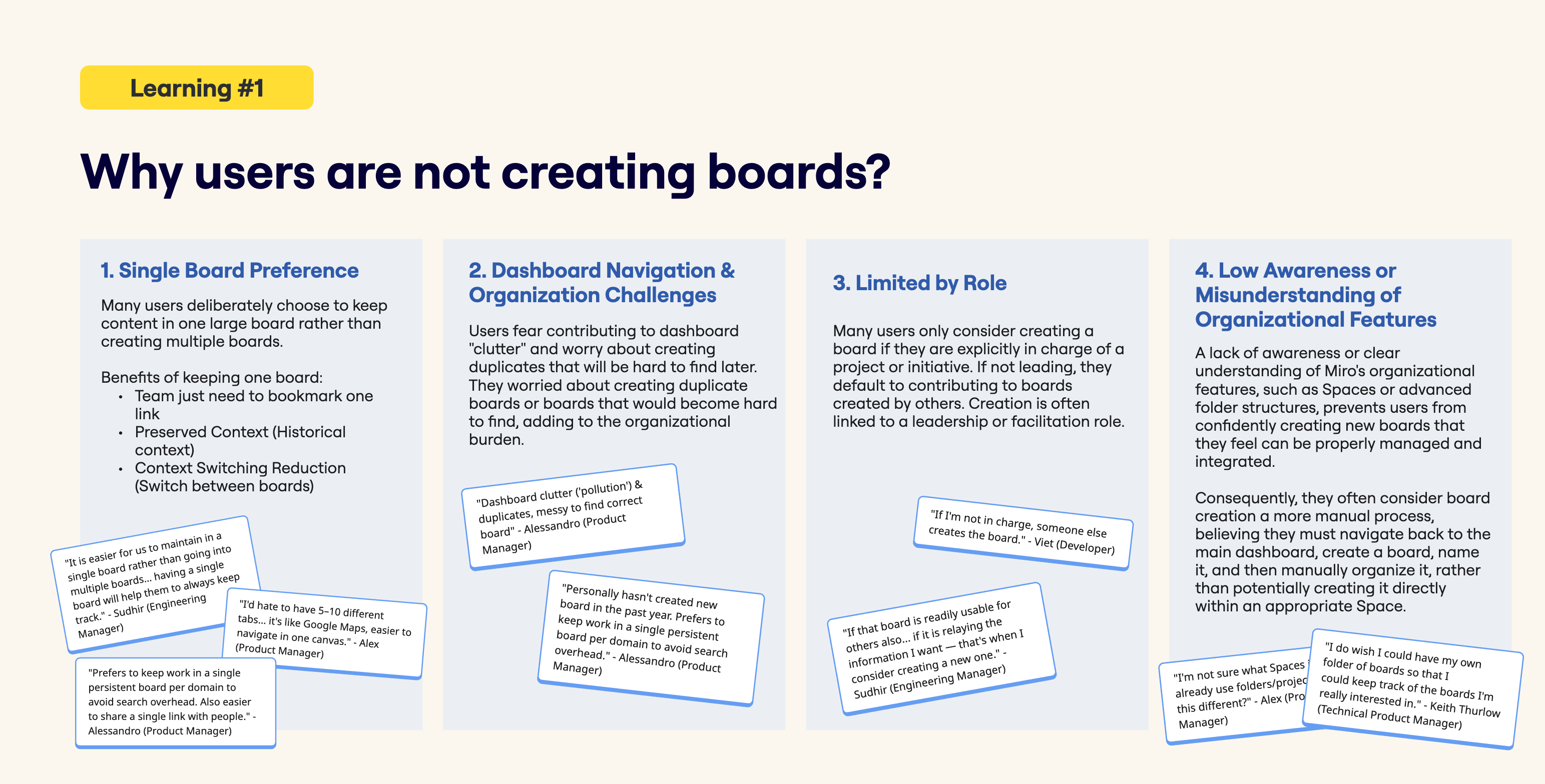
Research showed that board creation wasn't blocked by one single issue. It was a mix of habits, uncertainty, and small but meaningful friction points.
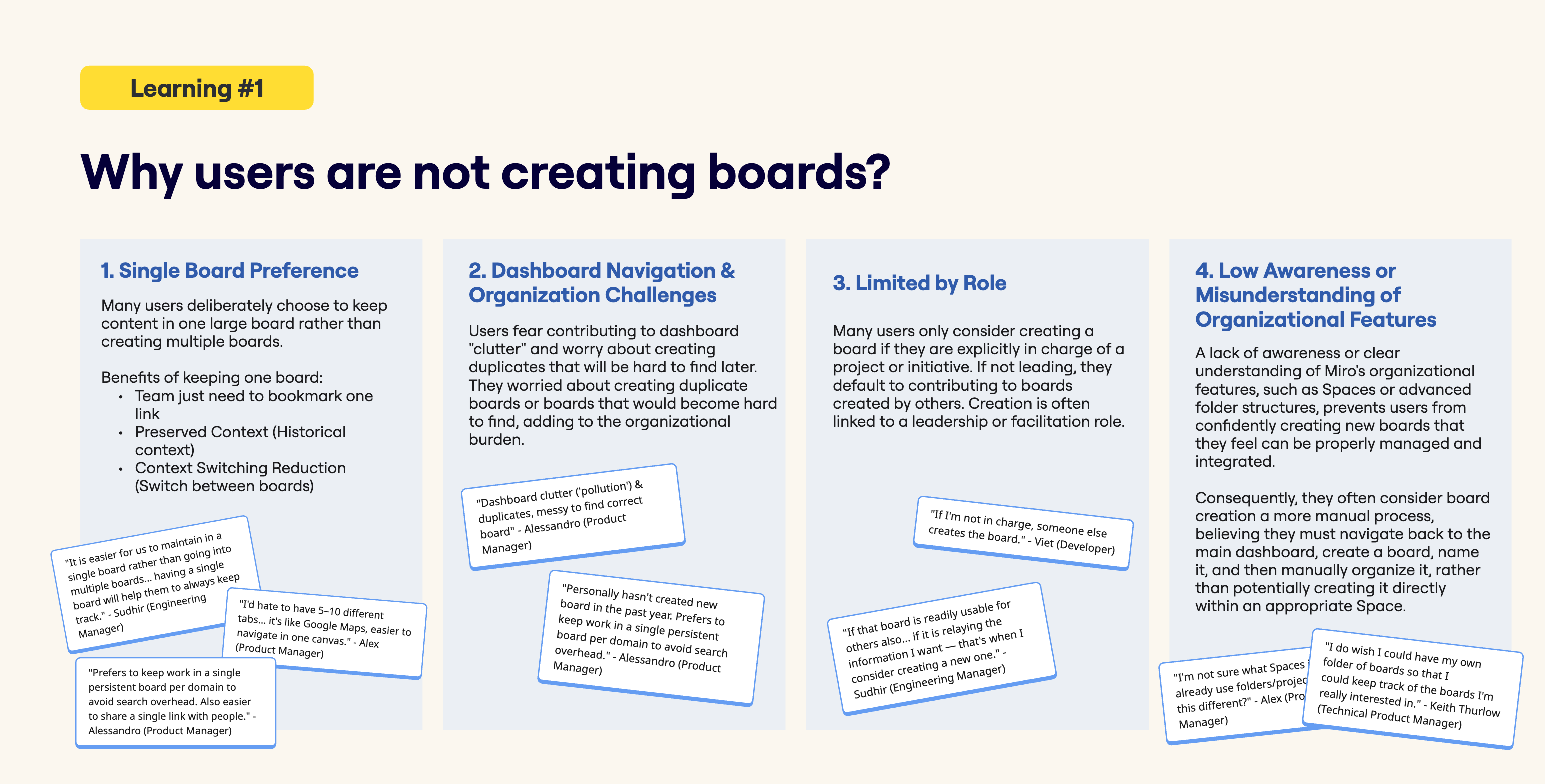
Many teams were already working inside a single shared board. That behavior made sense, but it also meant fewer opportunities for users to start new workflows of their own.
Even when users technically could create boards, they often hesitated because they weren't sure where the board should live, who could see it, or whether they were creating unnecessary clutter.
Creating a board often meant stepping out of the current flow of work and setting things up elsewhere. The friction was small, but enough to make the status quo feel easier.
The same research showed that feature discovery had its own set of problems.
Many users learned Miro through a teammate and then repeated the behaviors they were shown. Without a natural moment of discovery, they stayed close to the basics.
As the product grew, discovery became harder. When many features are presented at once without enough context, users default to what they already know.
The opportunity was not just to add more entry points. It was to help users build a deeper relationship with the product over time.
We focused on two directions in parallel: helping more users start work of their own, and helping existing users discover more capable ways of working.
Each experiment was designed to reduce friction and make the next step feel more obvious.
Many users already had the intent to start something of their own, but the path to doing it felt distant enough that they stayed in an existing shared board instead.
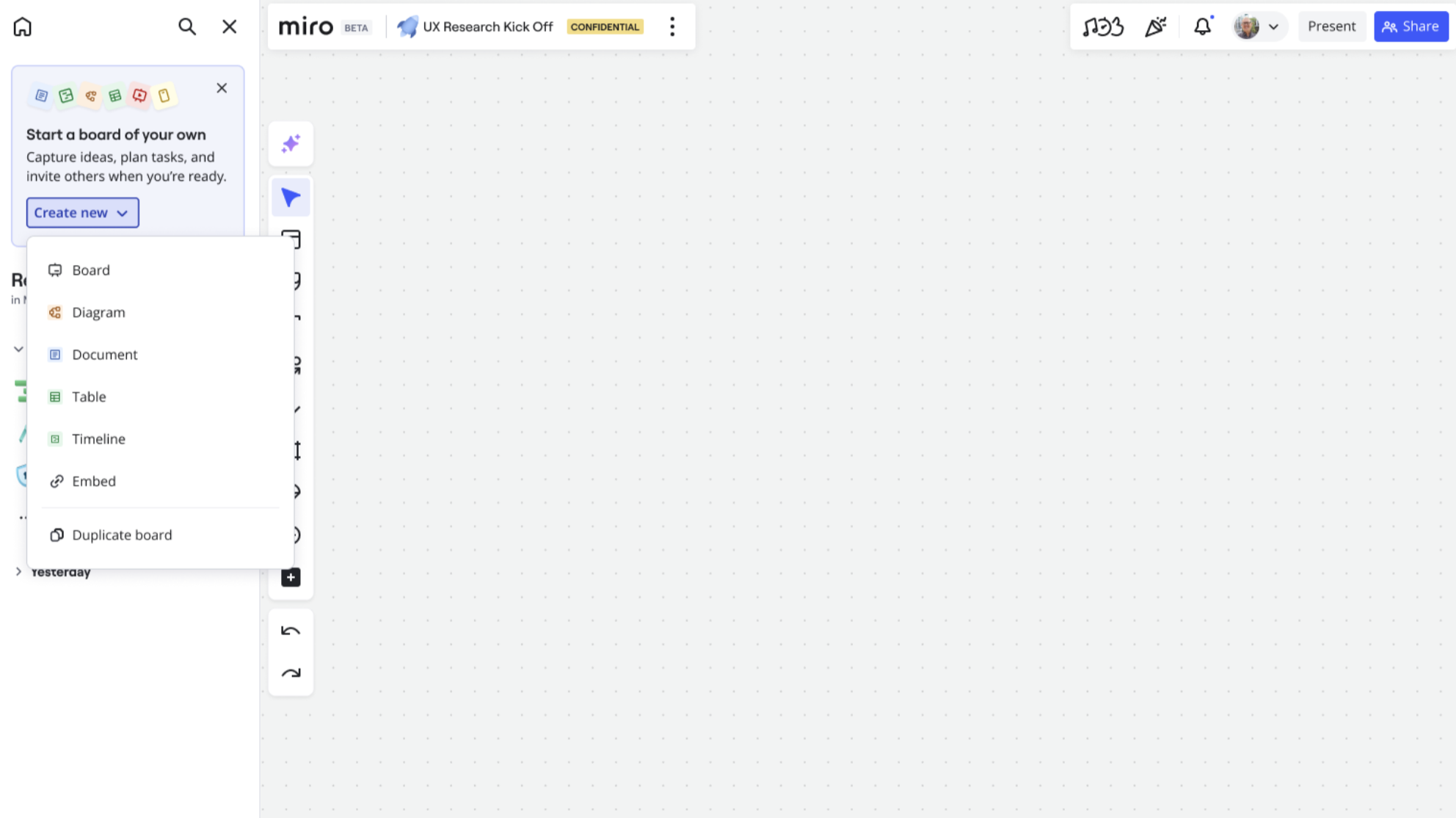
We brought creation entry points closer to where users were already working, so starting a board felt like a continuation of the task rather than a separate action.
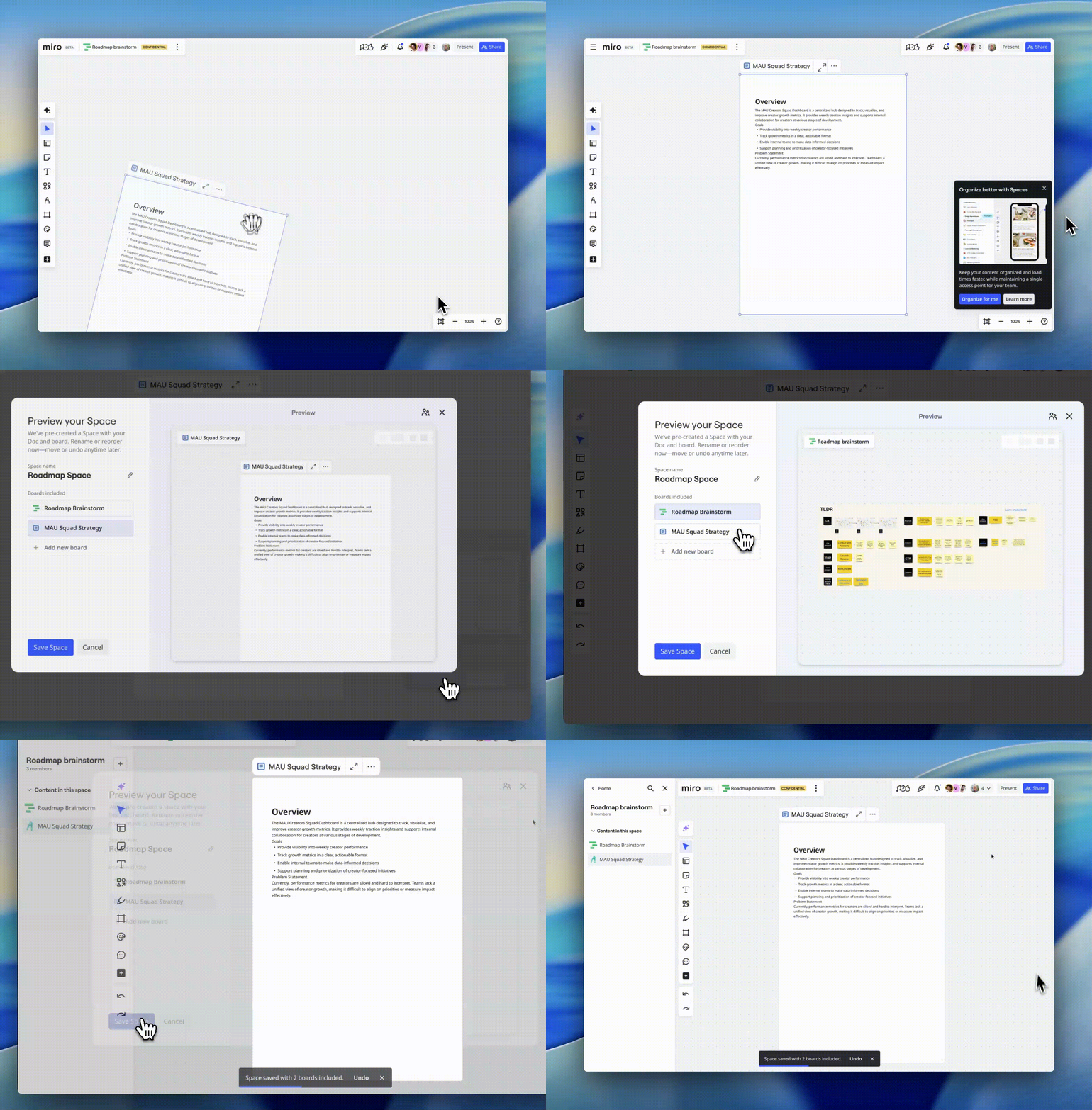
Another barrier was structure. Some users stayed in one board because starting a new space for work felt like an extra organizational choice in the middle of the task.
We explored prompts that appeared when work showed signs of growing in complexity, such as crowding, fragmentation, or a lack of clear structure. The idea was to offer a more organized next step before the board became difficult to manage.
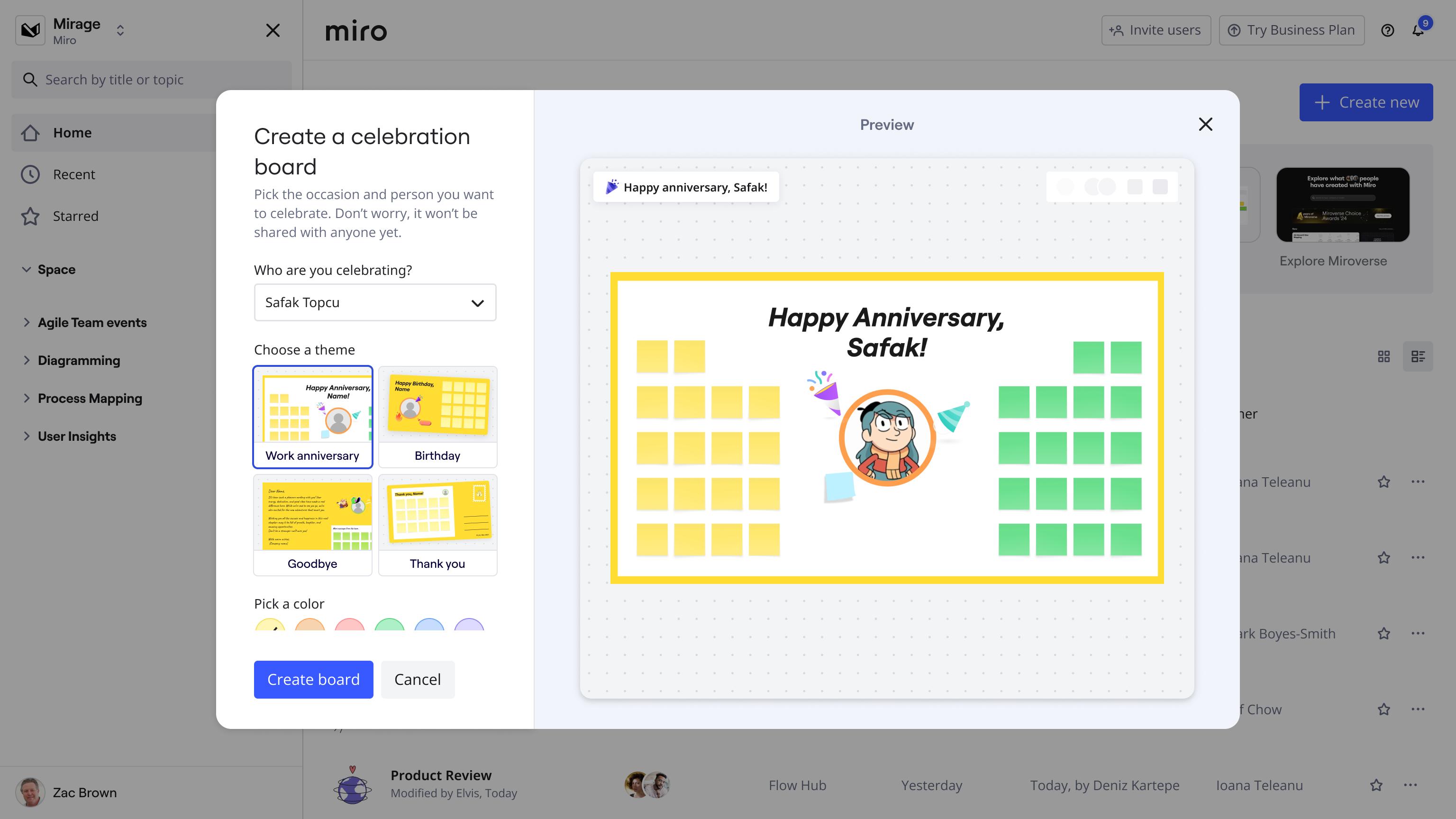
Creating a board once did not guarantee a lasting behavior change. That first step still needed reinforcement if it was going to become a habit.
We explored lightweight follow-up moments that acknowledged progress and suggested a sensible next step, framed around common use cases.
The challenge was not a lack of useful features. It was that many users never encountered them at the right moment.
People open Miro because they are trying to get something done. If a more structured workflow does not appear inside that work, when it is relevant, it is unlikely to be discovered at all.
We started with a simple intervention: when a user's behavior clearly resembled a more structured workflow, we surfaced a prompt that suggested the corresponding tool.
It helped us test two things quickly: whether the signal was real, and whether interruption created too much friction.
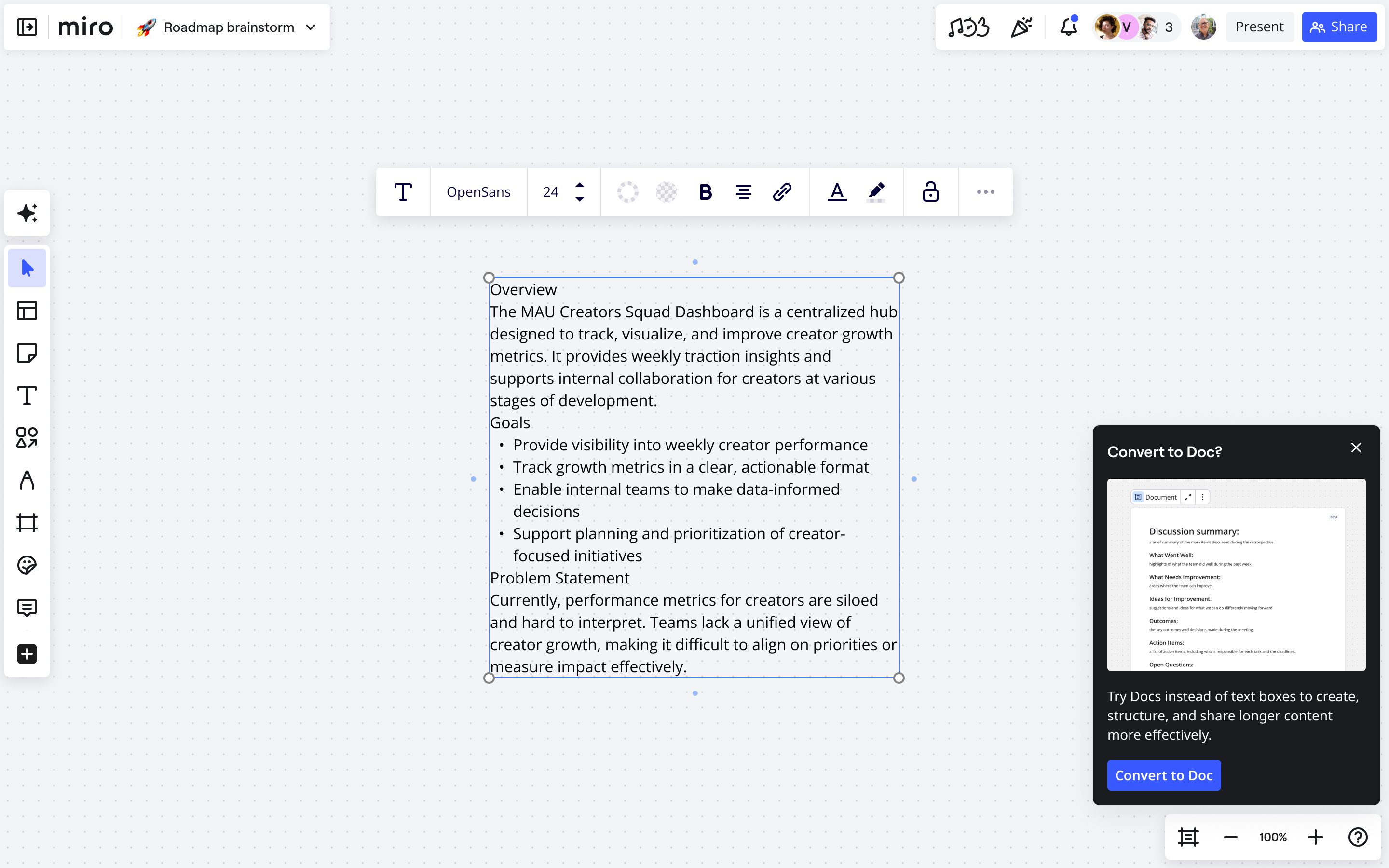
The next iteration moved the suggestion into an existing interaction surface so it felt more connected to the work itself.
Instead of interrupting the user, the idea was to surface a quieter cue at the moment a relevant pattern appeared, giving them a way to act without breaking their flow.
It made the timing more precise and the interaction less disruptive.
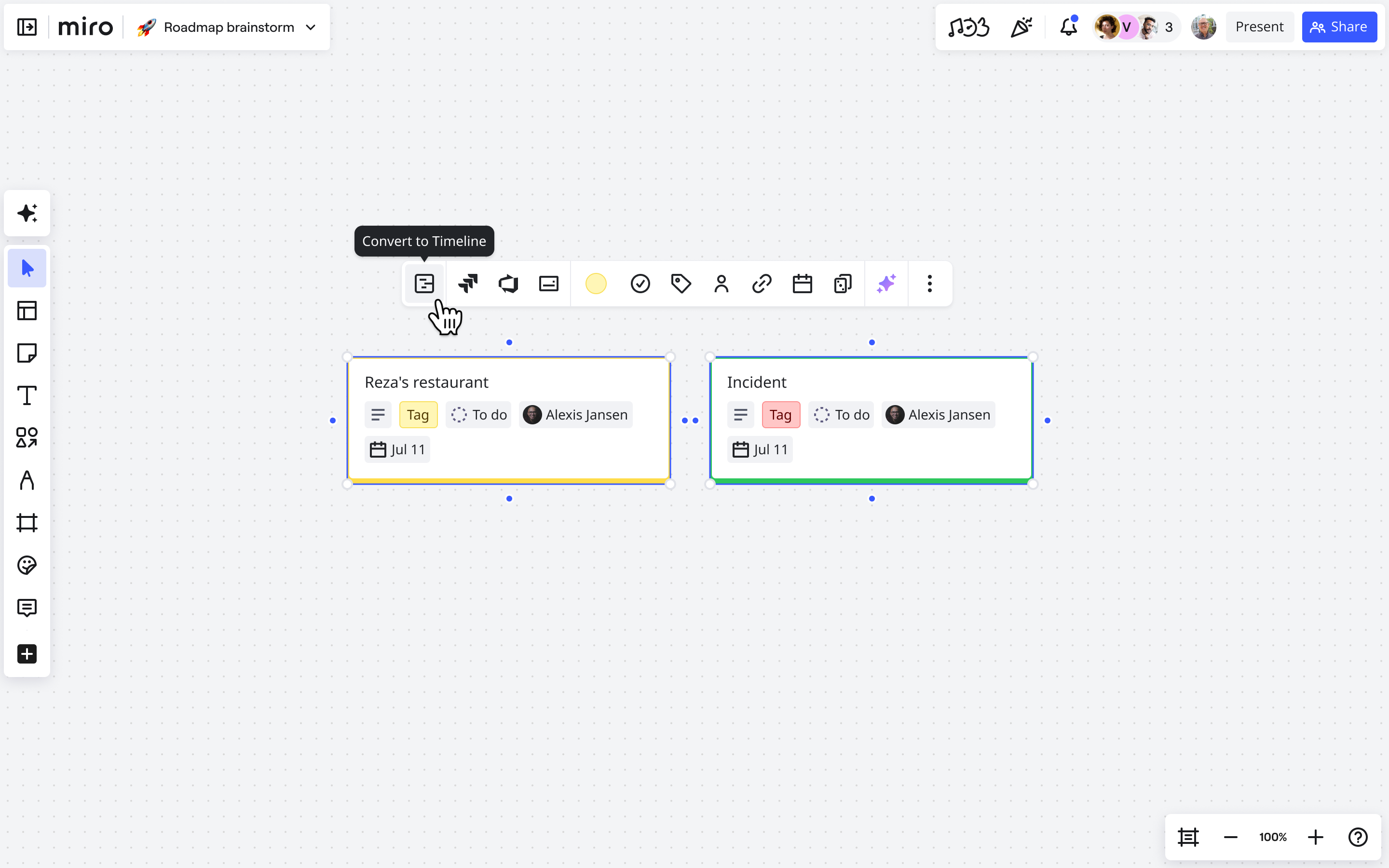
The final direction pushed the concept further by making the suggestion feel native to the board experience itself.
Rather than appearing as a separate layer, prompts were embedded more directly into the experience, making them feel less like product chrome and more like timely assistance.
It also made the pattern easier to extend across more workflow types.
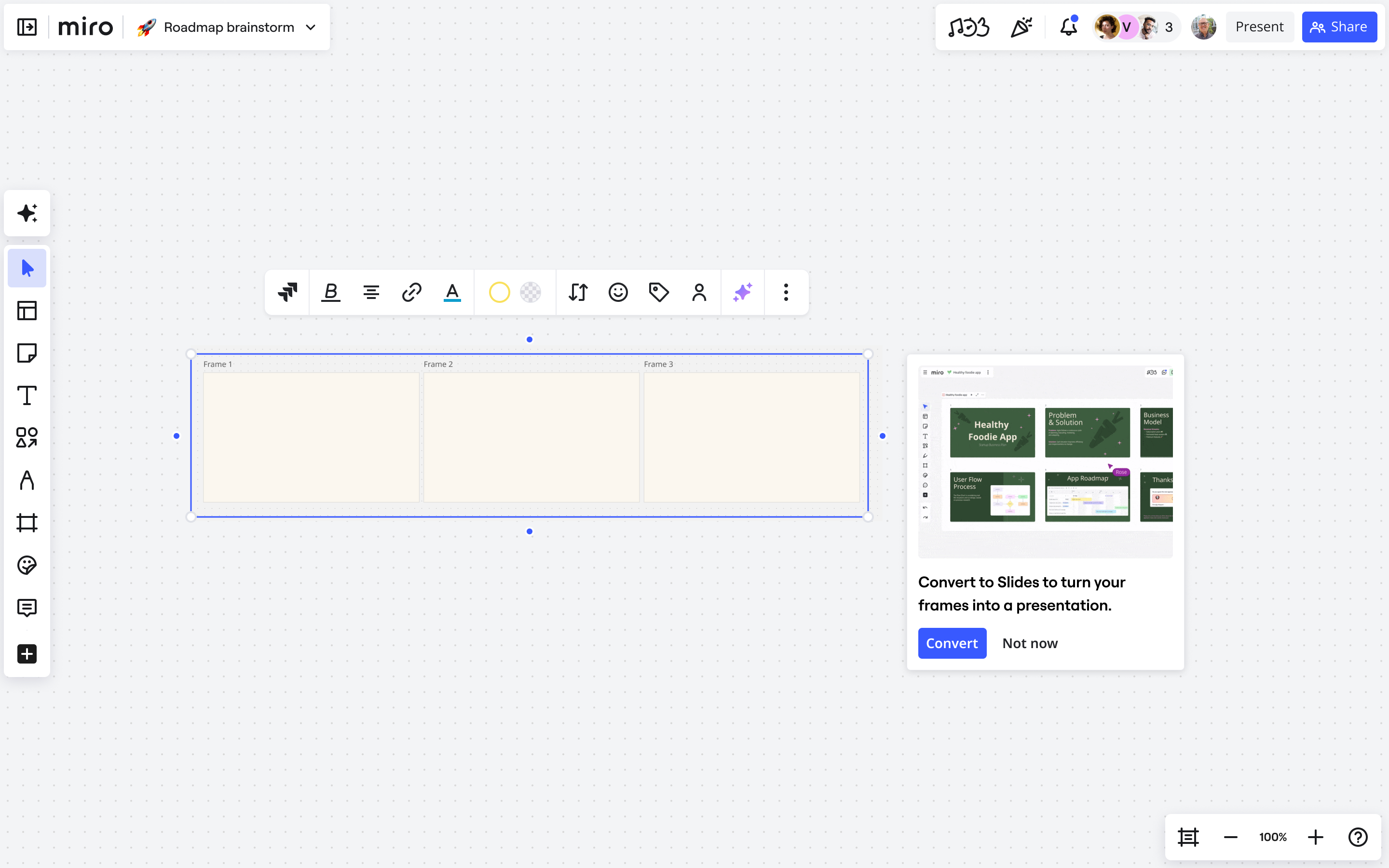
More users who had previously only joined boards began creating work of their own. Just as importantly, repeat creation improved, which suggested the behavior was starting to stick rather than happening only once.
On the feature adoption side, contextual prompts became one of the most effective drivers. Instead of relying on tutorials or campaigns, the product was able to introduce relevant workflows in the moment they were actually useful.
The bigger outcome was structural. We built a repeatable adoption pattern: detect intent, match it to the right workflow, and guide users forward at the right time. That gave the team a model that could keep expanding as the product evolved.
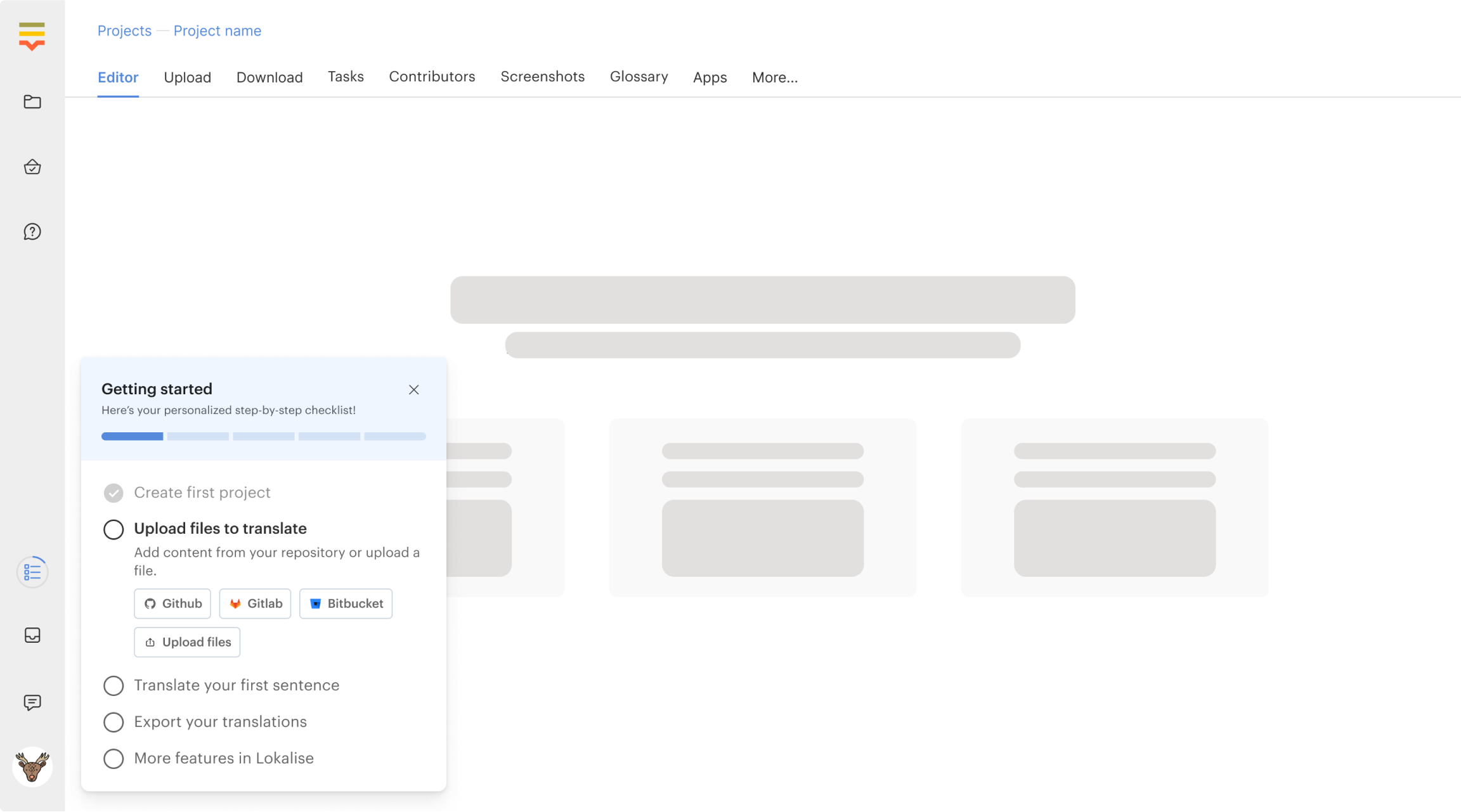
Redesigning Lokalise onboarding
How we improved activation and trial-to-customer conversion through a full onboarding redesign.
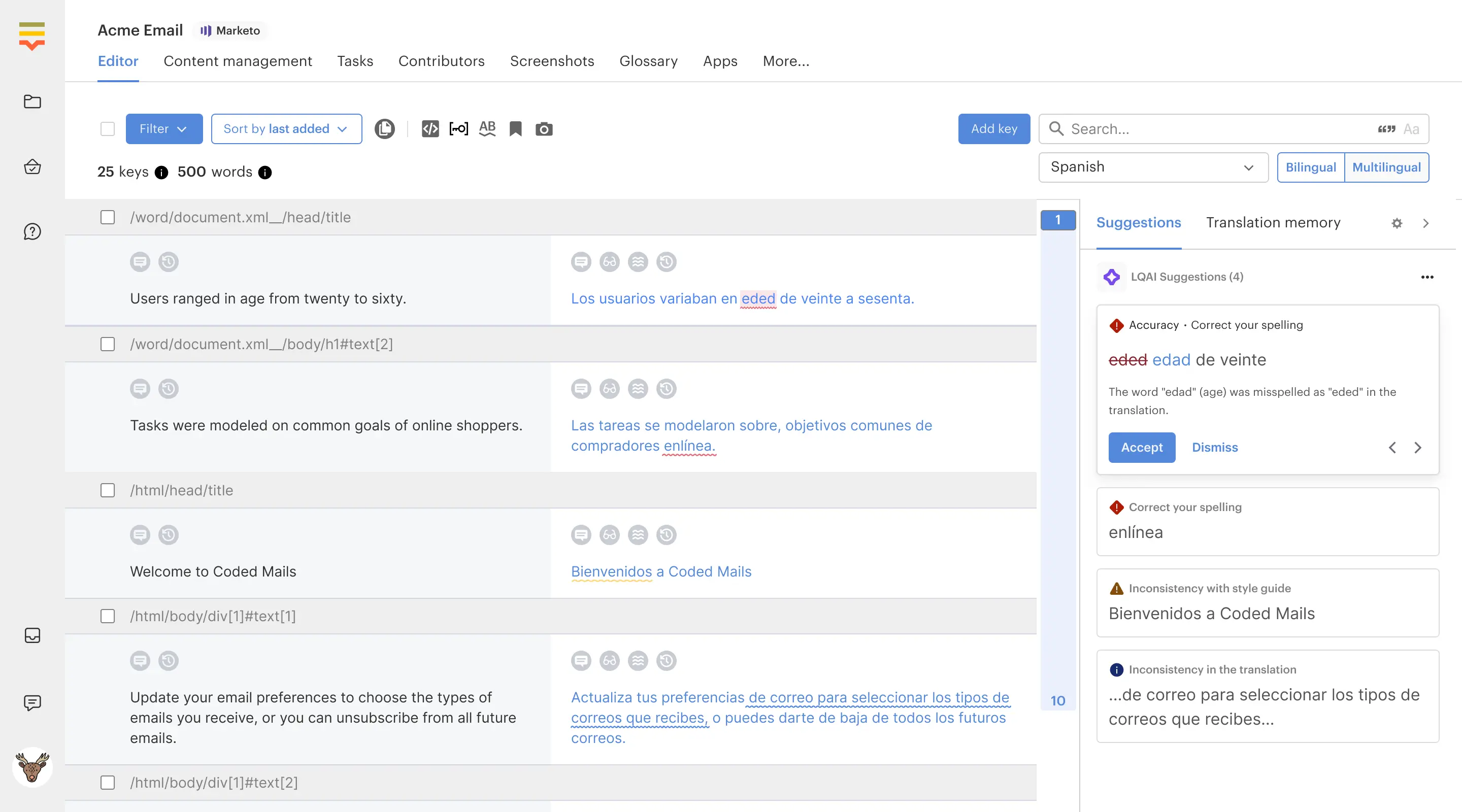
AI Translation Review
Bringing AI into the translation review workflow to help teams move faster without losing quality.
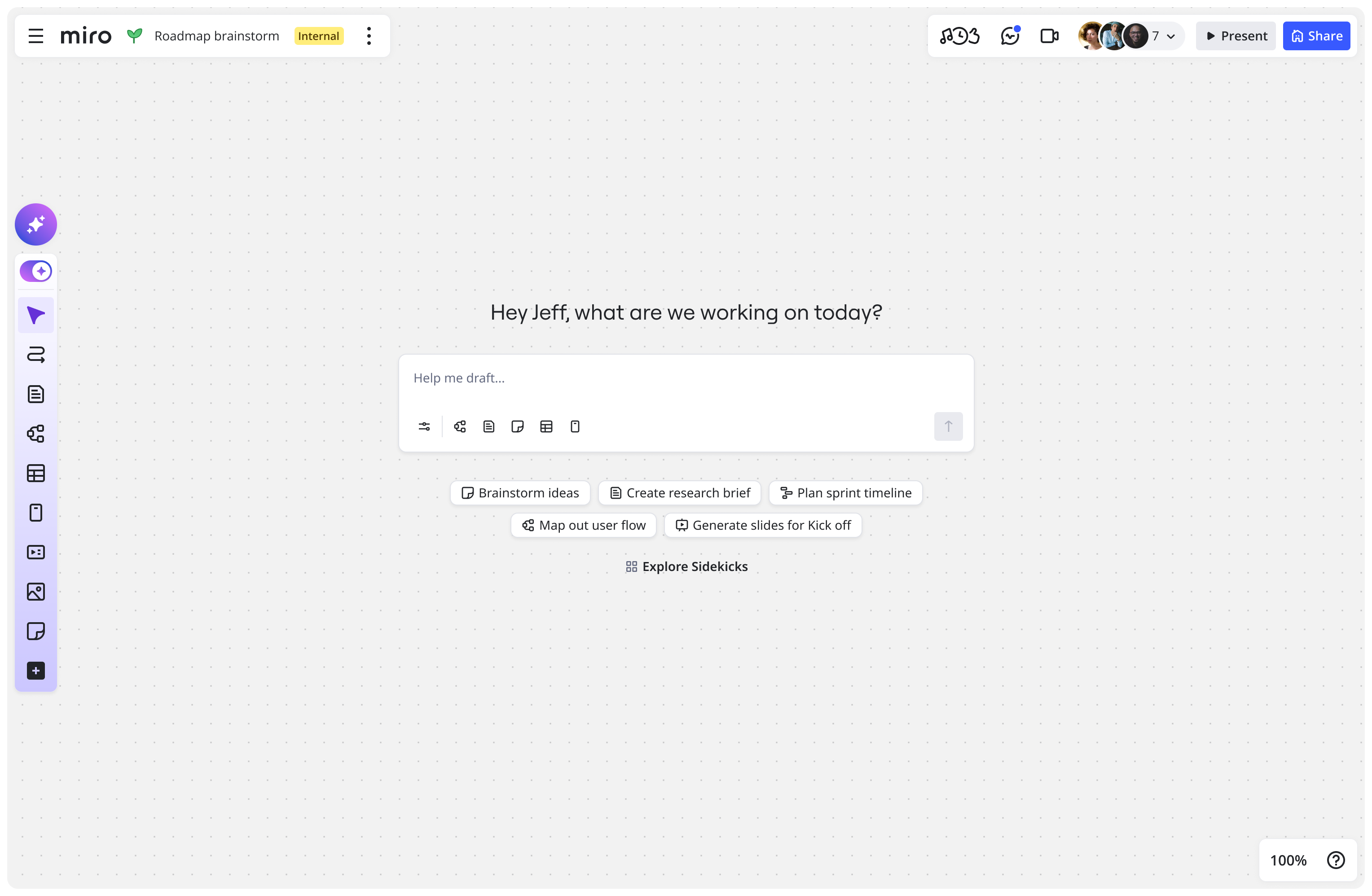
AI-first experience at Miro
A behavior-first approach to AI entry points, momentum, and collaboration workflows.